


Podcast Statistics
Gain unparalleled insights to help you analyze your listeners and grow your show, for any podcast on any hosting platform! Start exploring your podcast audience now and grow your podcast from actionable analytics.
Our statistics are IAB v2.1 Certified Compliant.
Get Podcast Statistics
Statistics you can trust since 2007
You want to measure your show’s performance in an easy-to-digest matter. Blubrry takes care of it all for you, all built on a foundation of listener privacy. As true believers in protecting podcast audiences’ privacy, it’s ingrained in our DNA. Enjoy our reliable, GDPR and CCPA compliant IAB Certified analytics without compromising your listeners’ personal information – because your audience’s privacy matters to us as much as your show statistics matter to you.
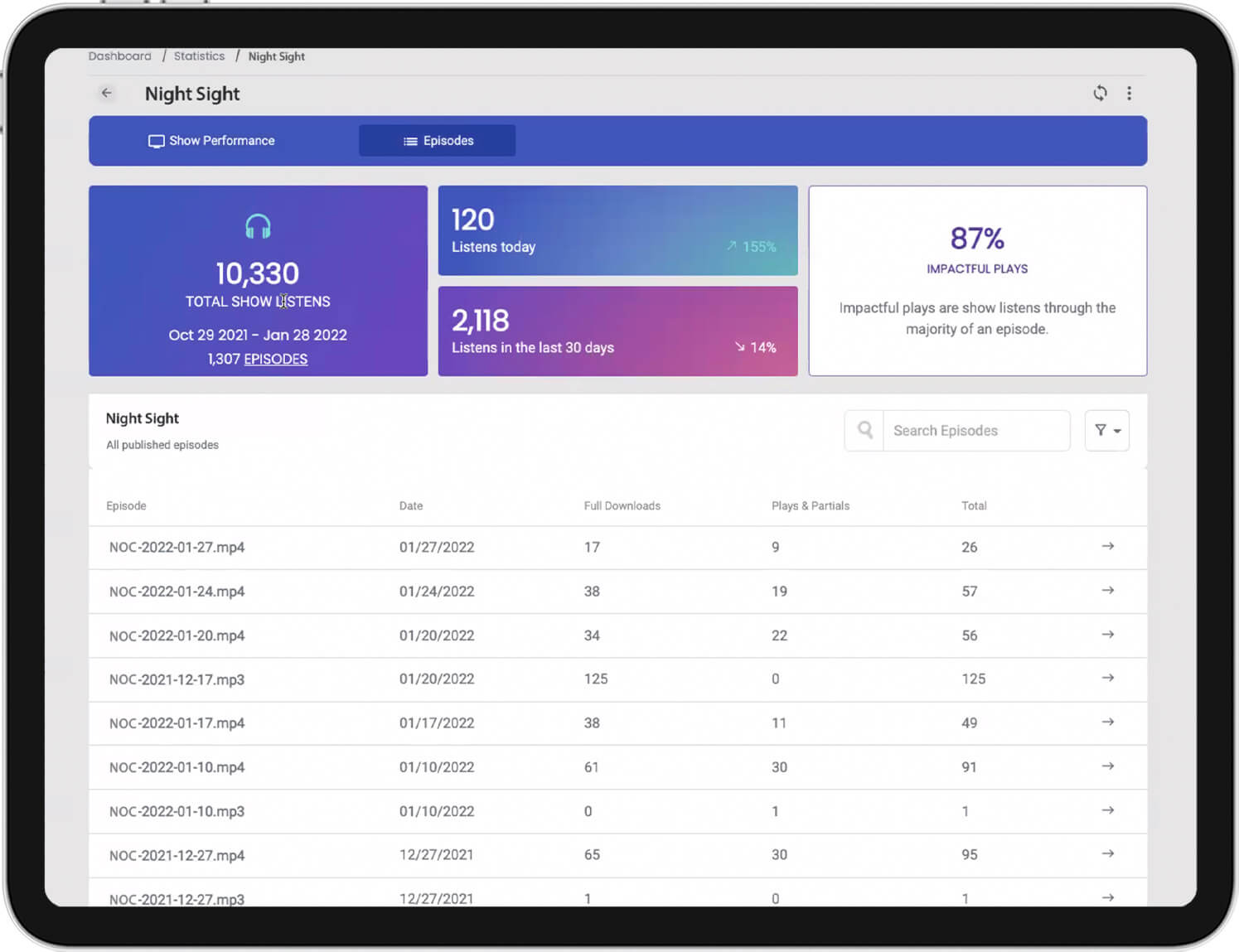
Accurate & Reliable Podcast Statistics
Blubrry Podcast Statistics is designed specifically for measuring podcast plays. Our stats work with other platforms as well; track your show with Blubrry while remaining with your current host.
Unlike regular website statistics, we take into consideration unique internet addresses, resuming downloads, duplicate requests, and network errors, web crawlers, bots, etc, to filter out data that would otherwise inflate your statistics.
We do this to provide you with the most reliable data that is certified on how and where your podcast listeners consumed your content.

Advanced Statistics - Included with Advanced Hosting
Advanced Statistics provide you with our Impactful Plays metric. Find out how long your audience regularly listens to your episodes. Podcasters wanting to retain their listeners will adapt and improve their show’s format, topics, length, ads, and more.
Advanced Statistics is exclusive to Advanced Hosting and Professional Hosting.

Discover Your Listener Trends
You pour your heart and passion into every podcast episode, hoping that hard work translates into a satisfied audience. And you track your podcast stats every episode. How do you know if your audience pays attention from start to finish? You strive to keep your podcast audience engaged.
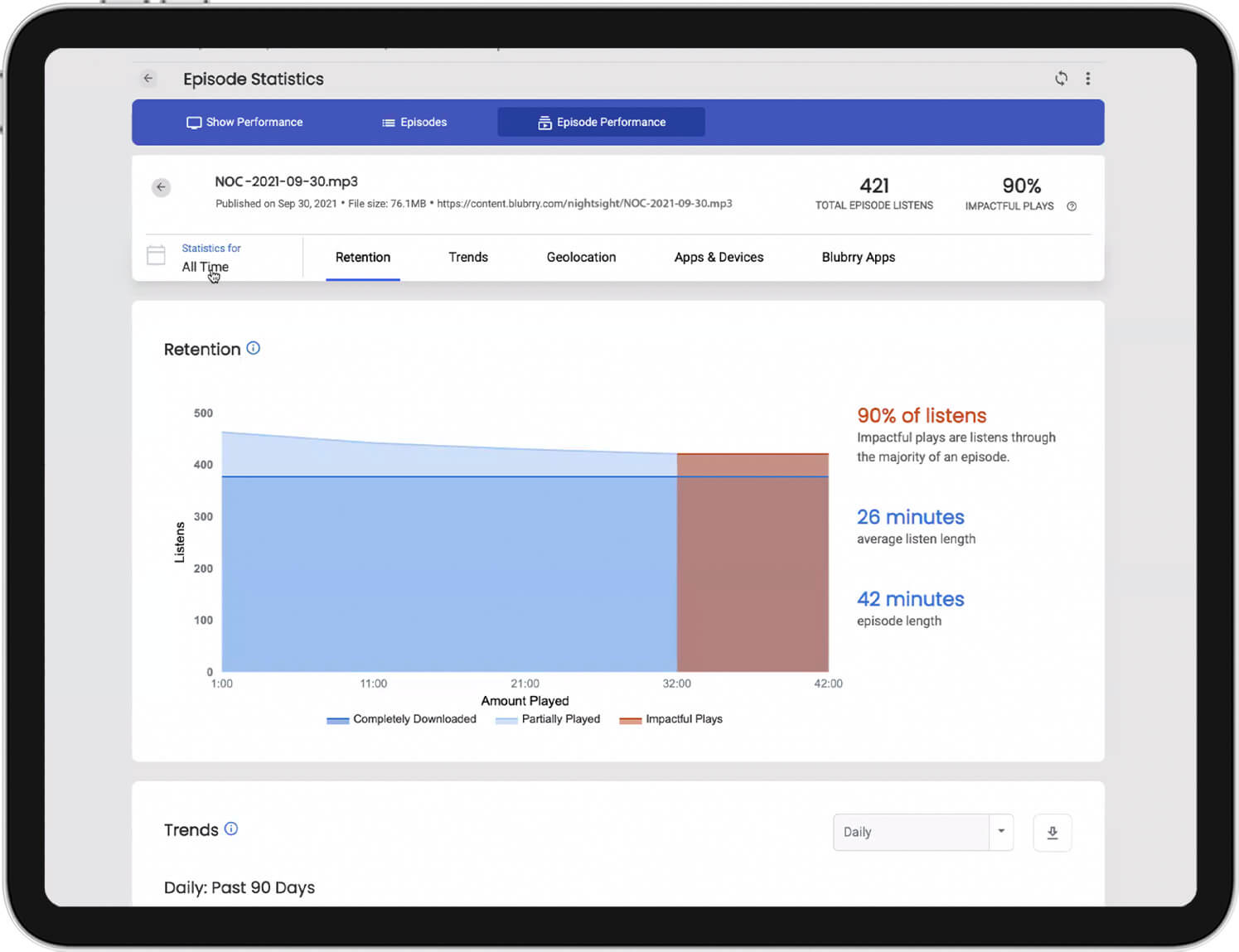
Retention: We put strong focus on ensuring you can understand if people are getting the most out of your entire episodes. Read the section below for more information.
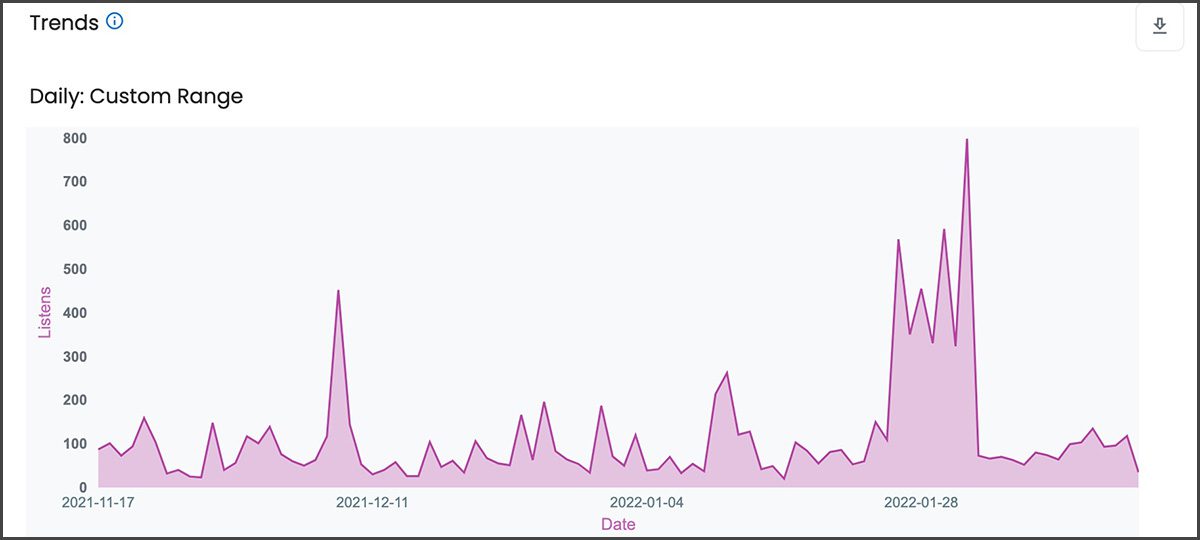
Trends: Track your growth changes over time, from 30 days to two years. A great tool to determine the differences between seasons, topics, guests, etc.
Get to Know Your Audience with Retention Data
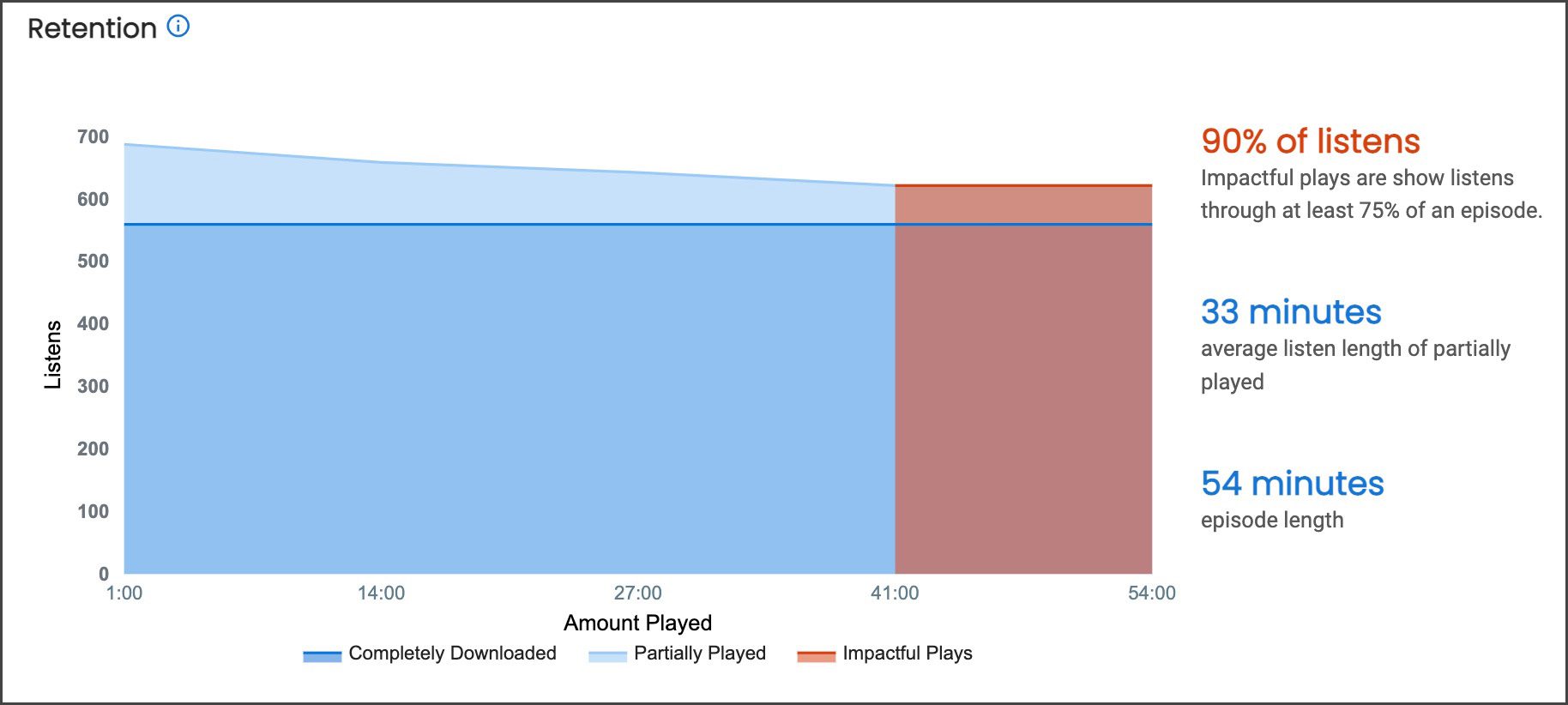
See an at-a-glance breakdown of complete plays and partial plays of your episodes.
A Blubrry exclusive metric we analyze your play and download data to determine, with uncanny accuracy when and where you retained or lost your audience’s attention, enabling you to improve your show’s content, pacing, and format.
Impactful Plays: This number represents a significant portion (75% or more) of the episode was played or downloaded. Available exclusively to Advanced Hosting customers.
Most podcasts aspire to have 80% or more of their audience fully download each episode.
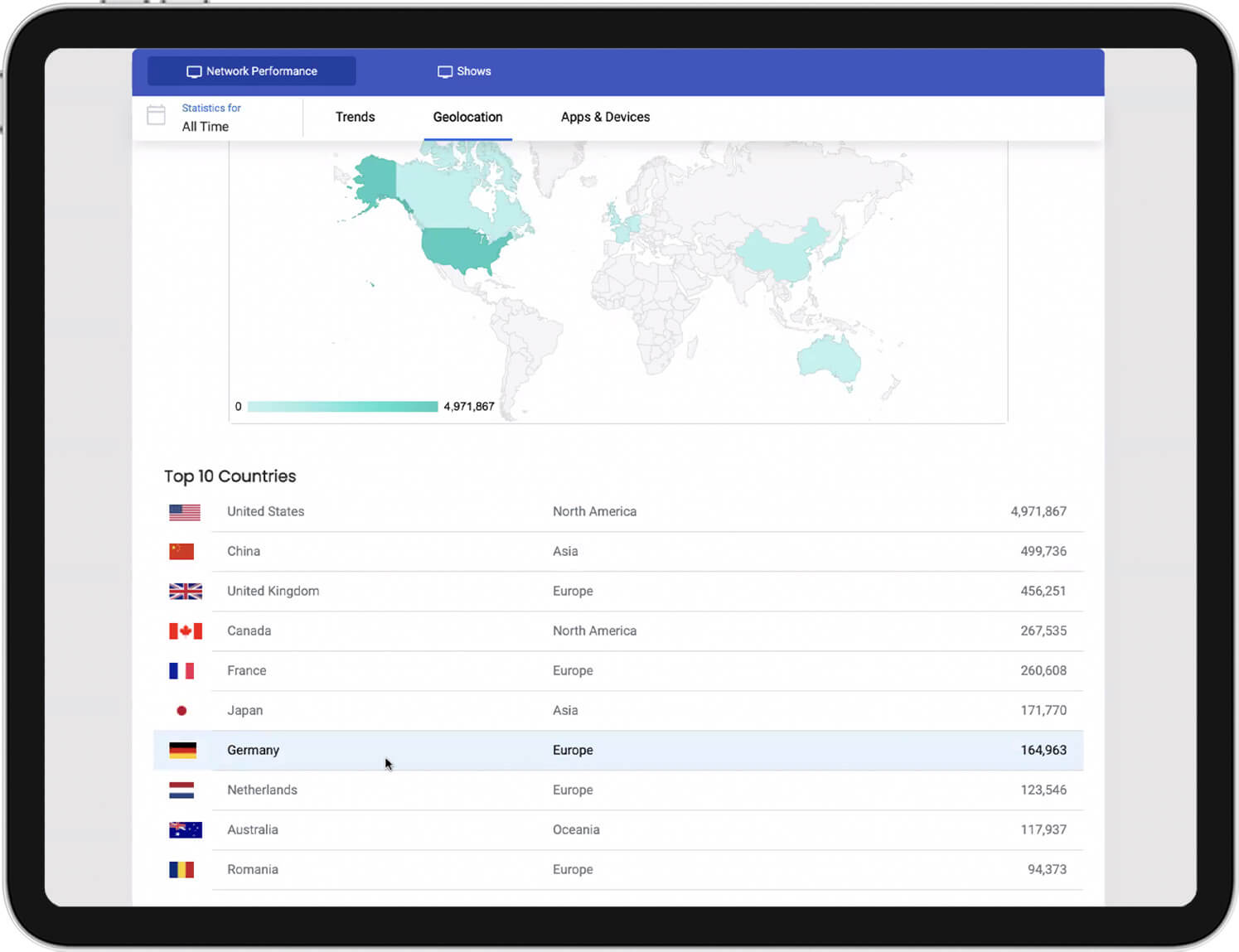
Geolocation
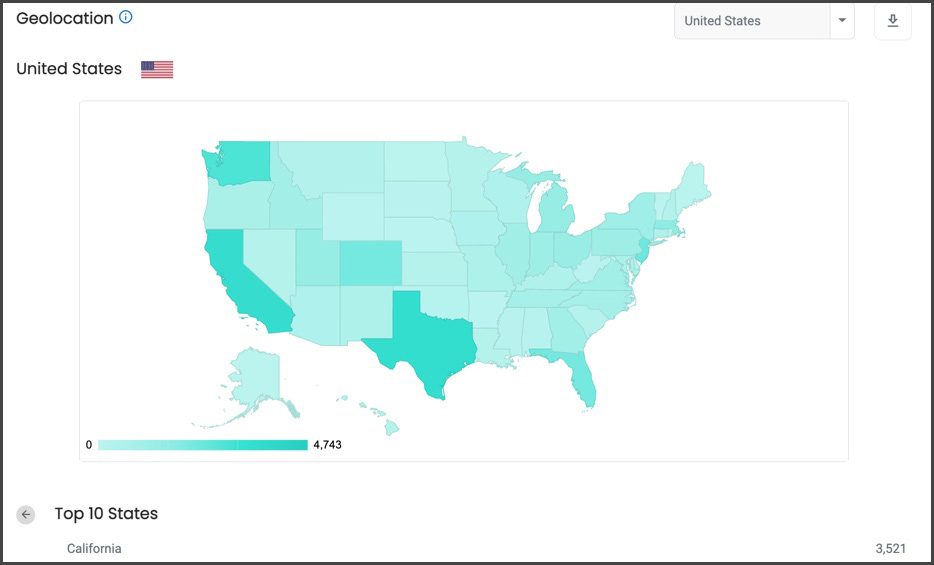
All podcast hosts want to know where their audience is, both physical and tangible. That’s why we provide broken-down information on locations and the types of devices they’re using. You might be surprised to find out where your audience is located.
Apps and Devices
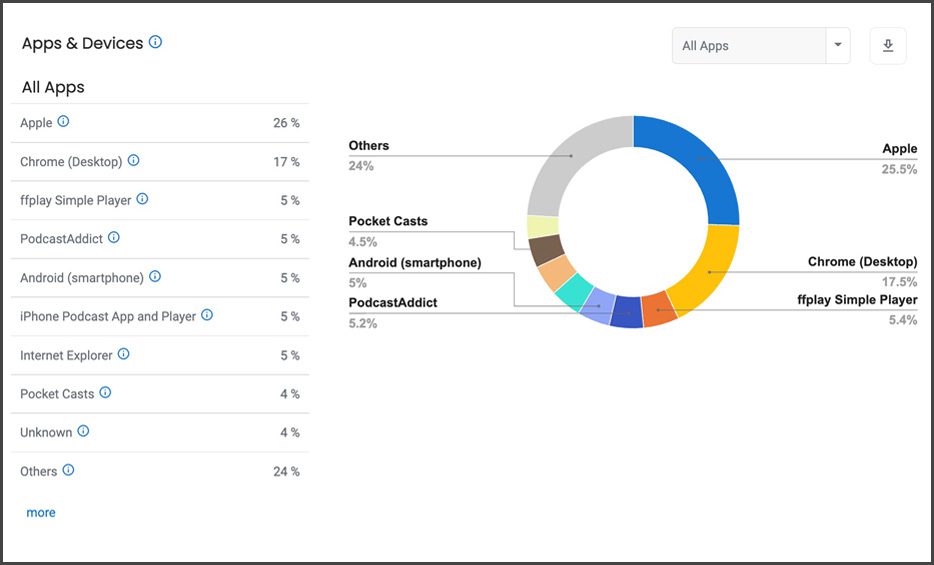
You’re capable of finding out what specific apps your audience is using to listen to your podcast, anywhere, anytime. You can learn a lot about a listener based on what type of technology they use regularly.
Episode Comparison
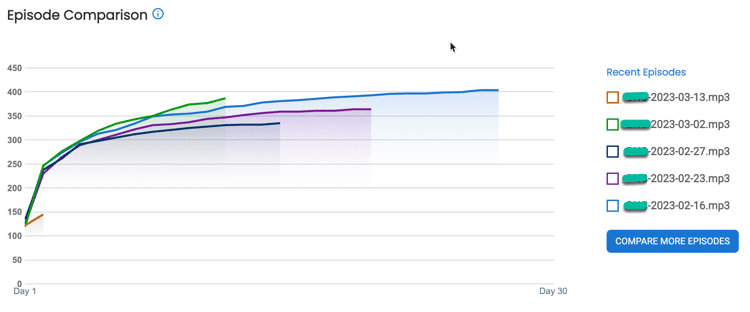
Compare your episodes to review listener pacing and trends. Our graph makes it easy to see the differences in each episode.
- Compare your three most recent episodes with Standard stats
- Compare any five episodes with our Thrive Bundle
Estimated Audience
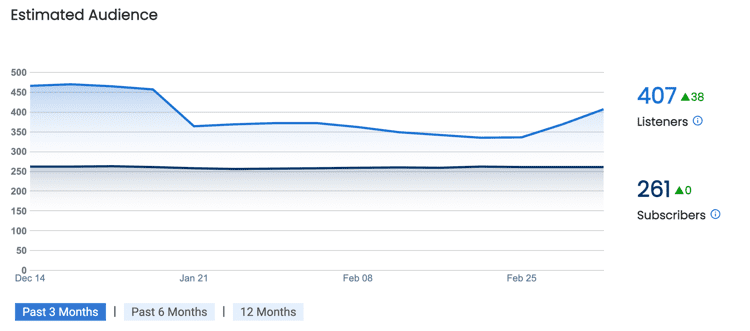
Be aware of how many of your podcast listens are Listeners and how many are Subscribers.
- Listeners are the daily average of listens over the 12 most recent episodes of overall listens.
- Subscribers are the daily average of all listens over the 12 most recent episodes within 48 hours of your published episode. Subscriber data is available in our Thrive Bundle.
Average Daily Plays
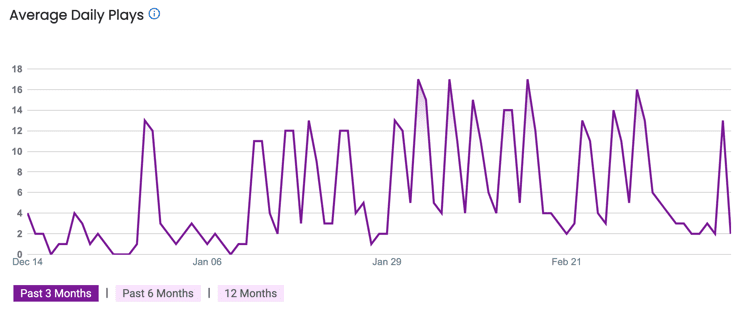
This is one of our newest charts to track show growth. We take the most recent 12 episodes, total the daily plays and then divide by 12 to determine the average daily plays. While the number may seem low, this graph will track your show performance over time. If you have a growing audience, the average will increase over time. Slow and steady wins the race here.
Listener Survey Data Incorporated into Blubrry Podcast Statistics
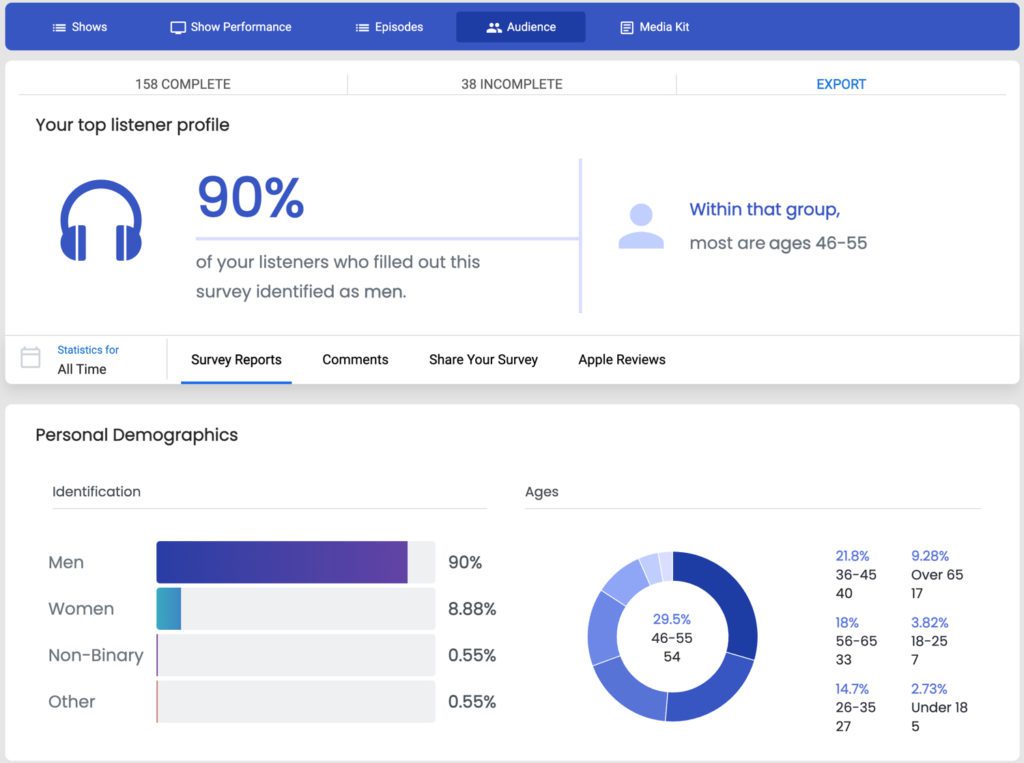
Blubrry Provides you the ability to run a listener survey to obtain primary demographic data of your audience, as this information is not available in podcast statistical data. It gives you a complete picture of your audience that we then combine with other information to create a free podcast media kit.
Podcast Support




IAB Certified Compliant Statistics
The Interactive Advertising Bureau (IAB) sets standards for the internet
advertising industry.
Blubrry stats are IAB v2.1 certified compliant by the Interactive Advertising Bureau Tech Lab for Podcast Measurement Compliance, meaning advertising agencies and organizations will trust your podcast stats.

Frequently Asked Questions
Is Advanced Stats data found in my overall stats numbers?
Advanced Statistics are included throughout the entire statistics dashboard.
What are Impactful Plays and how are they calculated?
We deemed this as a significant portion (75% to 100%) of the episode was downloaded or played. Fully downloaded and played episodes where 75% or more of the episode was consumed make up the Impactful Plays total. Learn more here.
How do I get IAB Certified Podcast Statistics?
You need to be a Blubrry Podcast Hosting customer to get IAB-certified compliant podcast statistics. You can start a free 30 day trial today!
How do I sign up for free statistics?
It’s easy to get your free or standard ($5.00 /mo) stats, get started here.